Install Stiger when it's not in your store
If Stiger isn't on your local App Store, changing your App Store region helps. No jailbreak, no sideloading.
Why this page exists
Stiger is offered in every App Store region. If it ever stops being available in your country, the fix is Apple’s own region-switching feature.
Switch App Store region
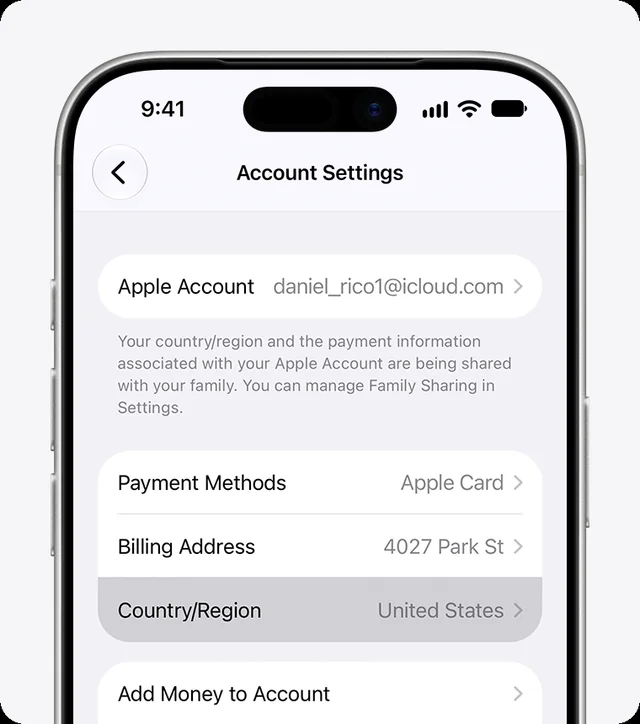
- Open Settings → [your name] → Media & Purchases.
- Tap Country/Region and pick a region where Stiger is available.
- Tap Continue, review the terms, tap Agree. You might be asked for a payment method valid in the new region.
- Open the App Store, search for Stiger, install.
Things to know
- You can switch back any time.
- Before switching, spend any Apple Account balance and cancel subscriptions that block the change; pending pre-orders, rentals and refunds have to clear first.
- Free Pro for Russian-speaking users follows your iPhone’s system language (the first one in Settings → General → Language & Region), not the App Store region and not Stiger’s own language setting.
Apple’s own guide: support.apple.com — Change your Apple Account country or region